The Compact Quran
for the Mudita Kompakt
You disconnected from all the noise.
Now reconnect with اللَّهُ عَزَّ وَجَلَّ
Connect with the Qur'ān on a distraction-free e-ink phone that reads like paper. Translation, transliteration, and word for word meanings are layered compactly, each a quick gesture away.


 and Controls buttons">
The gestures
Simple by default. Rich on demand.
The Qur'ān in this format is split into 3,343 pages for comfortable reading on the Kompakt screen. The default view shows the original Qur'ānic Arabic. Translation, transliteration, and word-by-word meaning appear only when you gesture to display them. Switch the default view to either the translation or transliteration if desired.
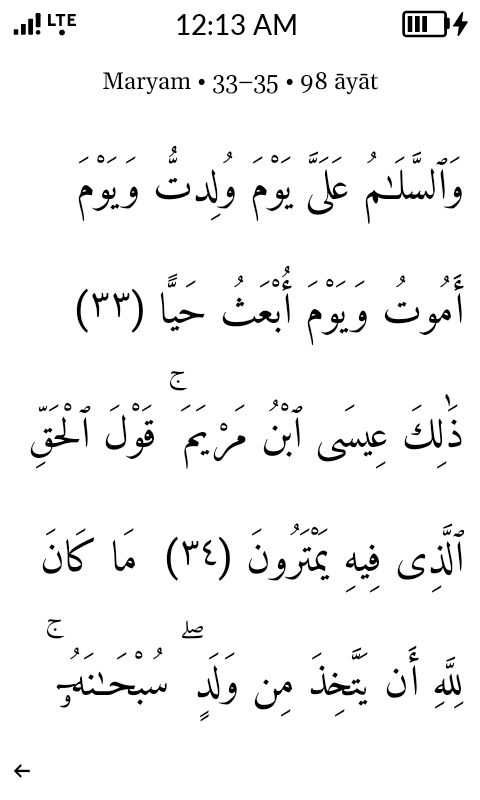
Hold
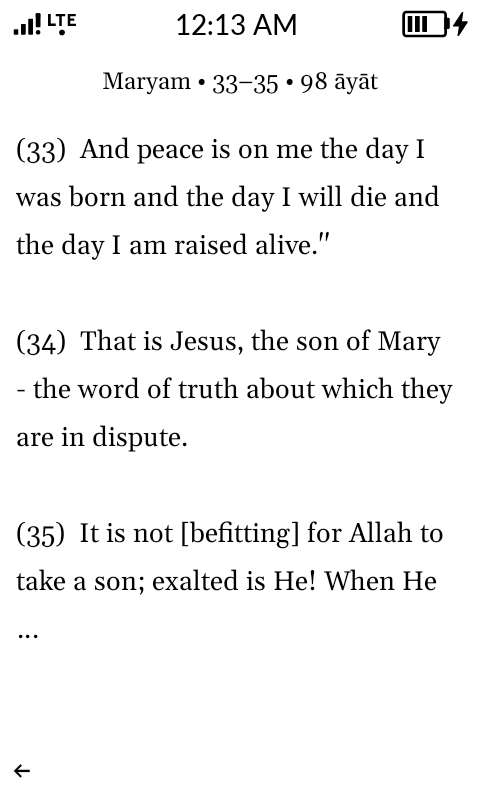
Hold the page to show the translation.
Press and hold anywhere: the page transforms into the translation of your choosing across 17 different languages, matching the page's content. Let go, and the Quranic Arabic returns.
Double tap, then hold
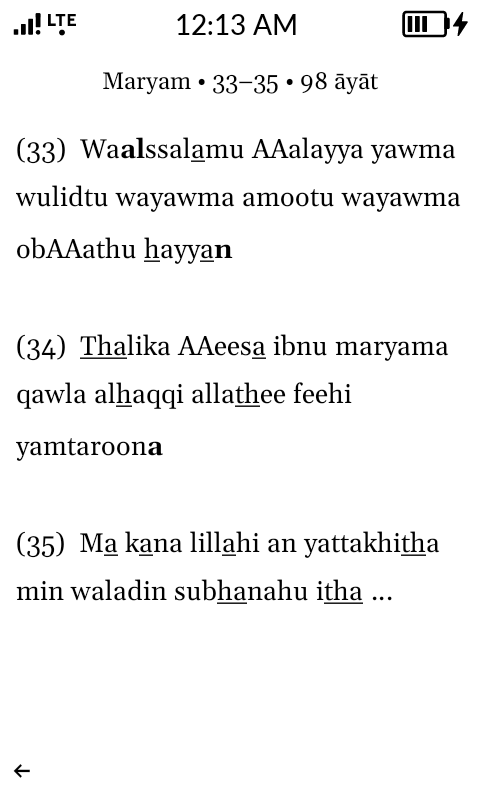
Read it aloud with the transliteration.
Two quick taps and a hold reveals the transliteration, with emphatic letters marked.
Swipe down, then hold
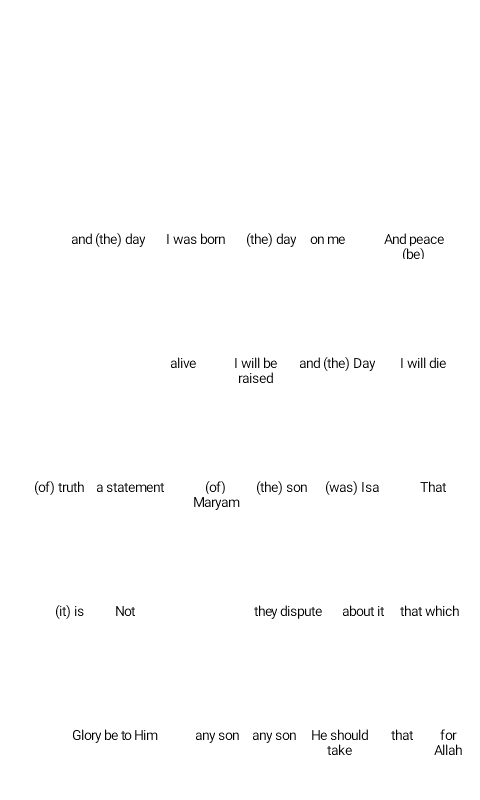
Understand quickly with a word by word translation (English only).
Draw a finger down and hold. The English meaning of each word slides in beneath the Arabic. English is currently the only supported language for the word-by-word translation.
Triple tap
Continue where you left off.
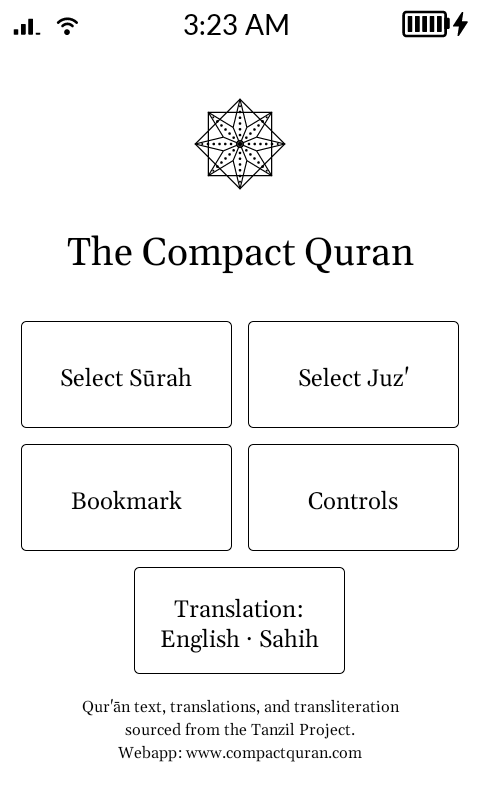
Three taps bookmark the page you are on. Return to it any time directly from the home screen.
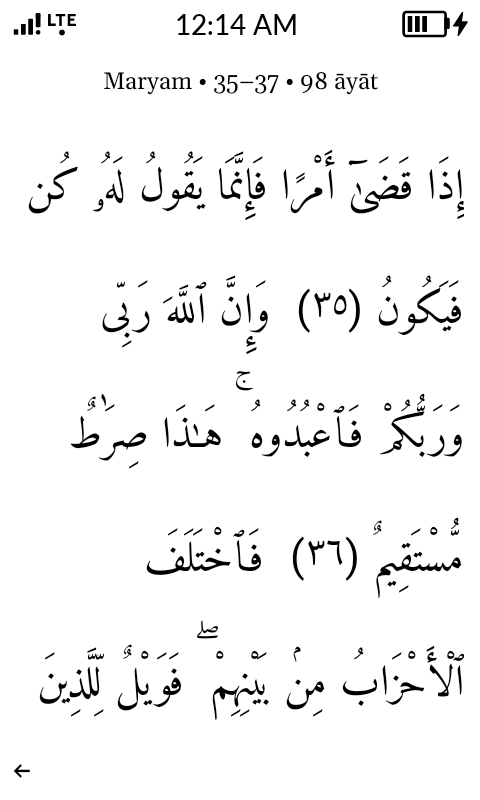
Swipe left or right
Swipe to change pages.
A swipe in either direction changes the page. The five line format represents about two to three lines of a regular muṣḥaf, for comfortable, clear reading without clutter.
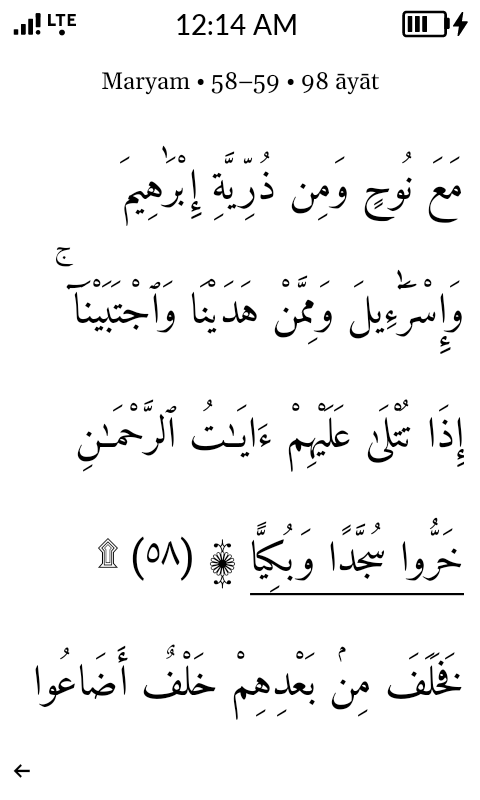
Volume up or down
Skip ten pages.
The physical volume keys leaf ten pages at a time, a quick flick through the muṣḥaf.
Switch the main screen
Set your main screen.
Choose which layer leads. Keep the Quranic Arabic, or make the translation or transliteration your default view; the other two tuck beneath the same gestures.
Everything a reader needs.
22 translations
17 different languages and the most popular English translations, sourced from Tanzil.net.
Transliteration
Latin rendering with emphatic letters distinguished, for readers still learning the script.
Word by word
An interlinear layer floats the meaning of every word in English directly beneath it.
Bookmark
Return to where you left off quickly from the home screen. Triple tap a page to save as your bookmark.
Sūrah & Juz' navigation
Jump to any of the 114 sūrahs or 30 ajzā' from a simple menu.
Why the Mudita Kompakt
A phone built for focus.
The Kompakt's E-Ink display reads like paper. Nothing tugs at your attention. It was one of the rare devices whose whole philosophy agrees with how scripture should be treated.
How to install
On your Kompakt in four steps.
-
1
Download the installer
One file, one click. Works on Windows.
-
2
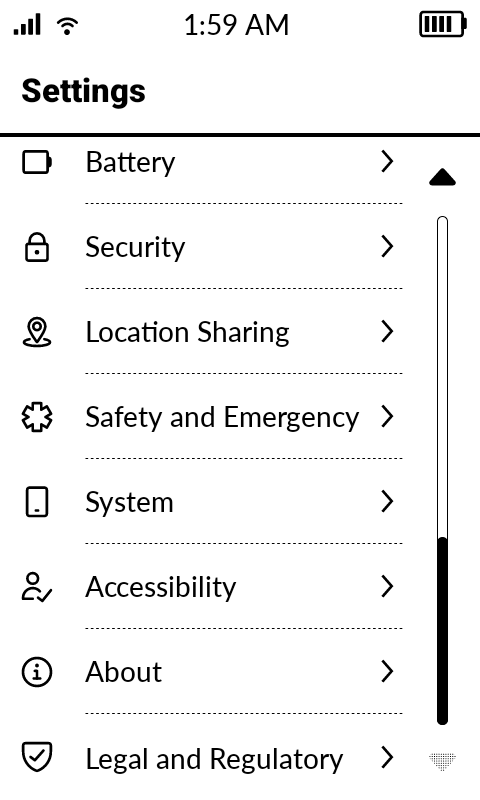
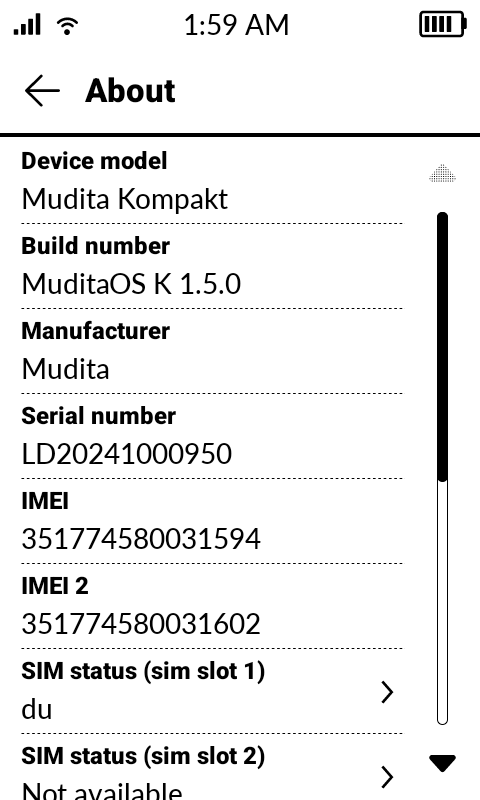
Unlock Developer Options on your Kompakt
- Open the app drawer, or the control center (the third button on the phone's right edge), and tap the Settings gear.
- Scroll to the bottom of the list and tap “About”.
- Find “Build number” and tap it about 7 times. You may be asked for your device passcode.
-
3
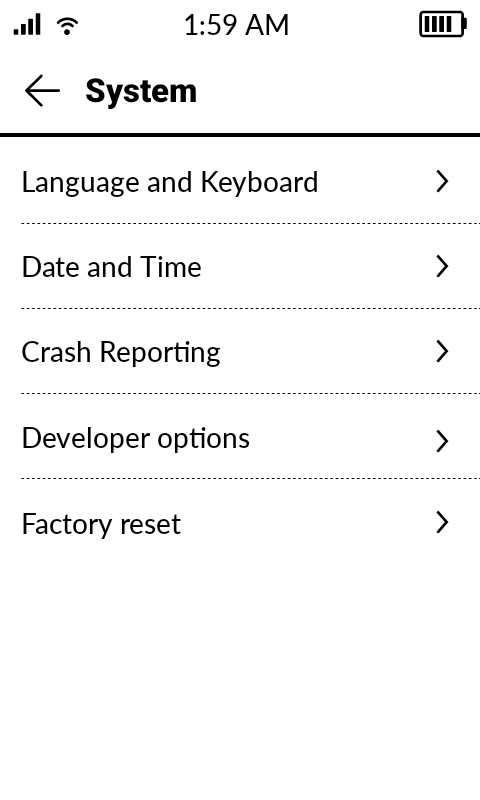
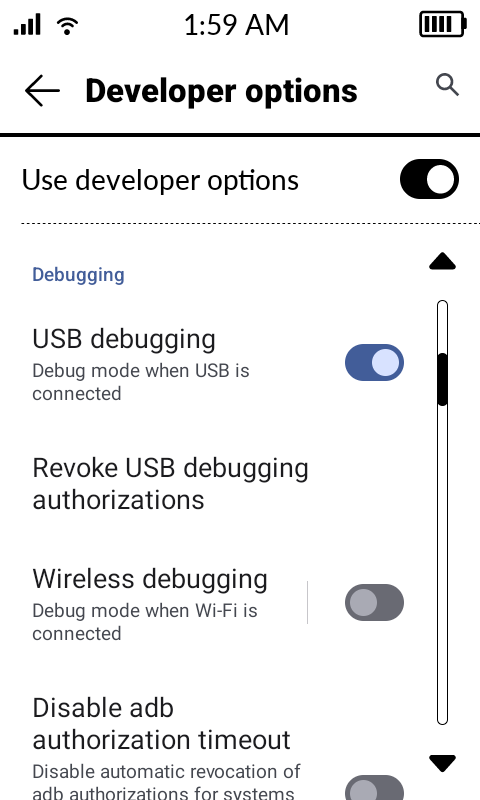
Enable USB debugging
- Press back to return to the main Settings menu.
- Tap “System”.
- Open “Developer options”.
- Scroll to “Debugging” and toggle on “USB debugging”.
-
4
Connect by USB and click Install
Plug the Kompakt into the computer with a USB data cable and run the installer. If the phone asks “Allow USB debugging from this computer?”, tap Allow.
Then look for this app icon on the phone’s apps page:

Reminders
- The Allow prompt appears on the phone screen, not the computer.
- Use a USB data cable, not a charge-only cable.
- Nothing is installed on your computer; the app goes onto the Kompakt.
- The same installer can also update or remove the app if needed.
Carry the Qur'ān on the phone that gave you your attention back.
Free for the Mudita Kompakt.
Get notified of updates
Optional. Not a newsletter, no spam. Only updates to the app and webapp.
Version 0.2 · early release · Windows installer (.exe)
This is a sideloaded build, installed over USB rather than from the Play Store, so there are no automatic updates; new versions are announced here.
It is a signed APK, using our own release key rather than a Play Store certificate, and it has not been through Google's review. The app makes no network calls, keeps no account and no analytics; only your bookmark and last viewed page is saved locally on your device.
This is a personal project. It is not affiliated with, endorsed by, or connected to Mudita or the makers of the Kompakt. It is free, and I earn no revenue from it, from you or from anyone. I built it for my own benefit and share it with anyone who finds it useful.